Monkey Type: Complete Guide to the Minimalistic Typing Test for Speed and Accuracy
Monkey Type, available at monkeytype.com, is a free minimalistic typing test and practice platform that lets you measure your words per minute, track accuracy, analyze consistency, and improve your typing speed through customizable test modes including time-based tests, word count tests, quote typing, custom text, and programming language practice, all within a clean distraction-free interface that loads instantly with no signup wall, no banner ads, and no tutorial pop-ups.
Built as an open-source project and loved by speed typists, programmers, students, and professionals worldwide, Monkey Type has become one of the most popular typing test websites on the internet by stripping away the clutter found on older typing sites and delivering a fast, deeply customizable experience that treats WPM scores the way gamers treat leaderboard rankings.
This complete guide covers everything about Monkey Type including how it works, every test mode, all metrics it tracks, customization options, WPM benchmarks, strategies to improve, and how it compares to alternatives.
What Is Monkey Type?
| Detail | Information |
|---|---|
| Website | monkeytype.com |
| Type | Free minimalistic typing test and practice platform |
| Created By | Miodec (open-source project on GitHub) |
| Cost | Completely free, no premium features |
| Account Required | No, optional for saving history |
| Default Word List | 200 most common English words |
| Expanded Word List | 1,000 most common English words |
| Languages Supported | Multiple, user selectable |
| Test Modes | Time, words, quote, zen, custom, typing speed |
| Key Metrics | WPM, raw WPM, accuracy, consistency, characters |
| Mobile Compatible | Yes, desktop and mobile browsers |
| Open-Source | Yes, available on GitHub |
| Community | Discord at discord.gg/monkeytype |
| Support Email | support@monkeytype.com |
Monkey Type is a minimalist typing test featuring multiple test modes, an account system to save your typing speed history, and user-configurable features such as themes, a smooth caret, and more. Its design philosophy is ruthless simplicity. The page loads instantly. There is no signup wall, no tutorial pop-up, and no banner ads. You see words, you type them, you get a score.
How Monkey Type Works
The Basic Experience
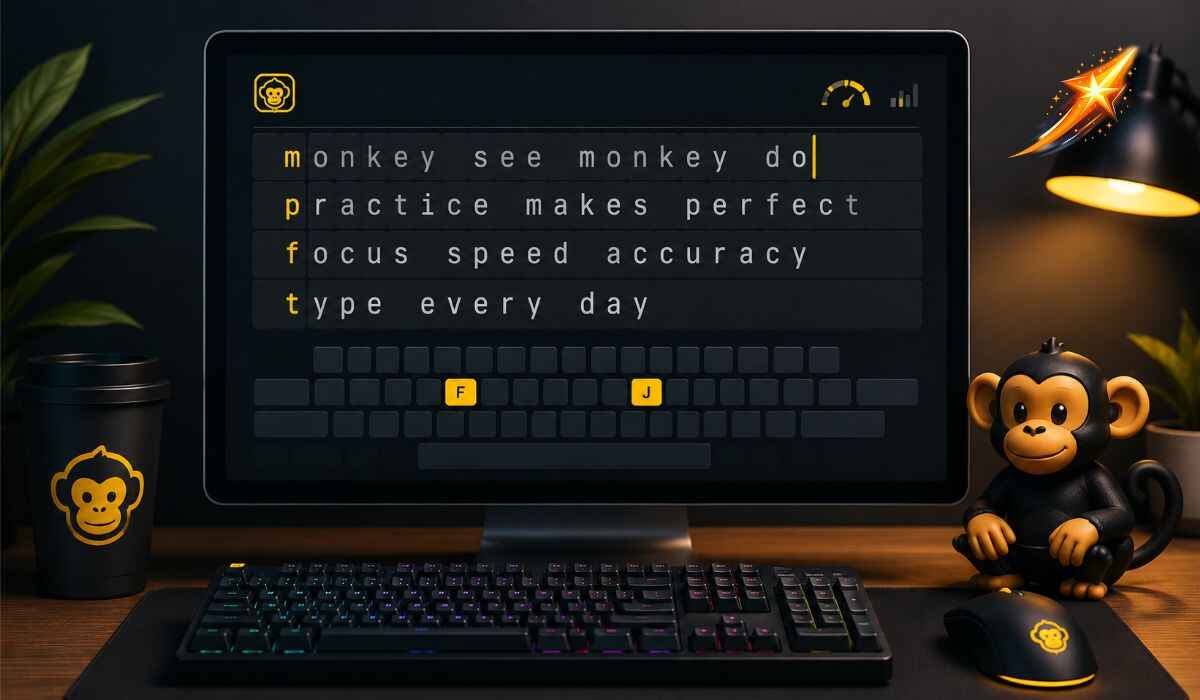
When you open Monkey Type, you immediately see a row of words waiting to be typed. There is no loading screen, no onboarding, and no menu to navigate. Your cursor is ready and the test begins the moment you start typing.
As you type, Monkey Type provides live feedback. Correctly typed letters appear in a neutral color. Incorrectly typed letters highlight in red immediately, giving you instant visual confirmation of each error. You do not need to finish the test to know you made a mistake.
By default, Monkey Type uses the 200 most common English words in the language to generate its tests. You can change to an expanded set of 1,000 most common words in the options, or change the language entirely.
To restart the typing test at any time, press Tab, or press Escape if you have quick Tab mode enabled. Press Escape to open the command line, giving you quick access to all settings without leaving the typing area.
How WPM Is Calculated
Understanding exactly how Monkey Type calculates WPM helps you interpret your scores accurately and compare them meaningfully across different test lengths and modes.
WPM is calculated as the total number of characters in correctly typed words including spaces, divided by 5 (the standard word length), normalized to 60 seconds. This is the standard net WPM calculation used by most typing tests.
Raw WPM is calculated the same way as WPM but also includes incorrectly typed words. Raw WPM shows your theoretical maximum speed if all your inputs had been correct. The difference between your WPM and raw WPM reveals how much your errors are costing you.
Accuracy shows the percentage of keystrokes that were correct out of all keystrokes made during the test.
Consistency is based on the variance of your raw WPM throughout the test. A consistency score closer to 100 percent indicates your speed remained steady throughout. Low consistency means you had significant speed fluctuations during the test.
Characters shows a breakdown of correctly typed characters, incorrectly typed characters, extra characters, and missed characters across the full test.
Every Test Mode in Monkey Type
Monkey Type offers multiple test modes that challenge different aspects of your typing ability.
Time Mode
Time mode runs a test for a fixed duration. The default options are 15, 30, 60, and 120 seconds. Shorter-duration modes test burst speed, while longer modes test sustained speed and consistency.
The 60-second test is the most widely used benchmark for comparing WPM scores across the typing community because it provides enough time for a statistically meaningful sample without requiring the sustained focus of a two-minute session.
Words Mode
Words mode runs a test for a fixed number of words rather than a fixed time. Common options include 10, 25, 50, and 100 words. This mode is useful when you want consistent word length across multiple sessions, regardless of how long each session takes.
Quote Mode
Quote mode presents typing tests from a library of real quotes sourced from literature, speeches, films, and other text sources. Quotes include capital letters, punctuation, and varied sentence structures, making them more challenging than standard word tests.
Quote typing is important for building real-world speed because actual documents and communications require accurate punctuation and capitalization, not just bare-word fluency.
Custom Mode
Custom mode allows you to paste any text you choose and practice typing it. This is particularly useful for programmers who want to practice typing code, writers who want to practice specific passages, or professionals who need to quickly type repetitive documents.
Zen Mode
Zen mode removes the word count and timer entirely, letting you type freely without any performance tracking. This is useful for warming up before a timed test, for focused practice without result anxiety, or for simply enjoying the meditative quality of fluid typing without interruption.
Typing Speed Mode
A broader test mode that provides a comprehensive baseline measurement of your current typing speed before you begin targeted practice.
Monkey Type Metrics Explained
WPM vs Raw WPM
The gap between your WPM and raw WPM is one of the most informative metrics on Monkey Type. A large gap indicates you are making many errors that significantly reduce your net performance. A small gap indicates clean, efficient typing, with most keystrokes correct.
For practical improvement, focus on narrowing this gap rather than maximizing raw WPM in isolation. Accuracy improvements deliver more sustainable speed gains than raw speed increases that come with high error rates.
Consistency Score
Consistency is based on the variance of your raw WPM. A score closer to 100 percent is better and indicates that your speed was stable throughout the test rather than fluctuating between fast bursts and slow patches.
Low consistency often indicates tension, hesitation on specific letter combinations, or mental fatigue during longer tests. Addressing the specific letter combinations that cause hesitation directly improves consistency.
Characters Breakdown
The characters metric shows correct, incorrect, extra, and missed characters separately. Extra characters appear when you type more than the required letters. Missed characters appear when the test ends before you type all available characters in time mode.
Reviewing the characters breakdown after each test reveals specific error patterns, such as consistently mistyping specific letter pairs or making more errors in the second half of tests due to fatigue.
Monkey Type Customization Options
One of the most powerful aspects of Monkey Type is the depth of its customization options, all available for free, with no account required.
Language Selection
Switch the test language to practice typing in languages other than English. Monkey Type supports multiple languages, and each language uses its own word list built from that language’s most common vocabulary.
Difficulty Levels
Adjust the difficulty by adding punctuation and numbers to standard word tests. This transitions the practice from clean word strings to more realistic text that includes commas, periods, apostrophes, and numerical characters.
Themes
Monkey Type offers a large library of visual themes that change the interface’s color scheme. Themes range from high-contrast dark options to minimalist light designs and creative color palettes.
The visual theme affects your subjective experience during practice sessions. Many users find that a preferred theme reduces eye strain and increases the amount of time they spend practicing comfortably.
Caret Style
Choose from multiple caret styles including a blinking block, underscore, or line caret. The smooth caret option transitions smoothly between characters rather than jumping discretely. Some typists find a specific caret style significantly easier to track while typing quickly.
Font Selection
Select from multiple fonts to find the one that feels most natural for reading and typing simultaneously. A font that spaces characters clearly reduces visual confusion during fast typing.
Live WPM and Error Display
Toggle live WPM display to see your speed update in real time during the test. Some typists find this motivating while others find it distracting. The ability to disable live display makes Monkey Type adaptable to both preferences.
Sound Effects
Enable keyboard sound effects that play with each keystroke. Options range from mechanical switch sounds to softer click sounds. Sound feedback creates an additional sensory layer that some typists use to maintain rhythm during practice sessions.
Blind Mode
Blind mode hides errors during the test, preventing you from seeing mistakes in real time. This mode forces you to focus on rhythm and flow rather than correcting errors mid-test, which trains a different aspect of typing fluency.
WPM Benchmarks: How Does Your Speed Compare?
The average typing speed is around 40 WPM for most adults. Here is how different speed ranges compare to the general population and to professional standards.
| WPM Range | Classification | Description |
|---|---|---|
| Under 30 WPM | Beginner | Hunt and peck typing, needs foundational work |
| 30 to 50 WPM | Average | Common adult typing speed without formal training |
| 50 to 70 WPM | Above Average | Comfortable daily typing, efficient for most tasks |
| 70 to 90 WPM | Fast | Confident typist, above professional standard |
| 90 to 120 WPM | Very Fast | Skilled typist, competitive level |
| 120 to 150 WPM | Expert | Top-tier speed, well above most professionals |
| 150 WPM and above | Elite | Competitive typing level, rare achievement |
An important note when comparing Monkey Type scores to other platforms: Monkey Type tends to give slightly higher WPM scores because it uses common English words while platforms like TypeRacer use real quotes with unusual punctuation. Different typing tests use different text sources, timing methods, and error-counting rules, which all affect your score.
Who Should Use Monkey Type?
Monkey Type is ideal for people who already touch type and want to track or improve their speed. If you can type at 60 WPM or above with proper technique and want a clean, enjoyable way to push toward 80 or 100, Monkey Type is excellent.
Programmers and developers benefit from Monkey Type’s code-typing modes and custom text features, which let them practice typing real programming syntax and common coding patterns.
Students preparing for examinations that include typing components, or those who want to improve note-taking speed, use Monkey Type to build consistent daily practice habits.
Office professionals who spend significant time producing written work use Monkey Type to reduce the cognitive overhead of typing, freeing mental capacity for the content of what they write rather than the mechanical act of typing.
Competitive typists who participate in online typing races and leaderboards use Monkey Type as their primary practice environment, treating WPM score improvement the way athletes treat personal records.
Writers and journalists who produce large volumes of text daily use Monkey Type to maintain and extend their baseline typing fluency.
Who Monkey Type Is Not Ideal For
Monkey Type assumes you already know how to type. There are no lessons that teach you which finger goes on which key. There is no finger-placement guidance and no hand overlay showing the correct finger-to-key mapping. If you are building bad habits, Monkey Type will not catch them.
There is also no per-finger analytics giving you a breakdown of which fingers or keys are slowing you down. And there is no voice narration to help you keep your eyes off the keyboard as you learn.
For complete beginners who have never learned touch typing, a structured course like TypingClub, Keybr, or similar platforms teaches the fundamentals more effectively than Monkey Type.
Monkey Type Account and Progress Tracking
Using Monkey Type Without an Account
You can use all Monkey Type features without creating an account. Results from each test session are visible immediately after each test but are not saved across sessions without an account.
When you sign out, Monkey Type will ask if you want to save your last result before closing. You can choose to save it or discard it.
Using Monkey Type With an Account
Creating a free account unlocks the full personal statistics dashboard where your complete typing history is stored. The account shows your WPM progression over time, your highest scores by test mode and duration, accuracy trends, and improvements in consistency.
The history dashboard makes your improvement visible over weeks and months, which is one of the strongest motivational tools for maintaining a consistent practice habit.
Practice Words Feature
The practice words feature lets you include missed words from previous sessions in upcoming tests. The missed words option includes words you previously typed incorrectly. The biwords option includes the two-word combination that contains the missed word, helping you practice in the specific context where errors occurred.
The slow words option includes words you typed significantly more slowly than your average speed, focusing deliberate practice on your specific bottlenecks rather than on words you already type quickly.
How to Improve Your Typing Speed on Monkey Type
Focus on Accuracy Before Speed
Speed will come naturally as accuracy improves. Chasing higher raw WPM numbers while making many errors reinforces error patterns that become increasingly difficult to eliminate as speed increases. Maintain consistent accuracy above 95 percent before attempting to increase speed.
Practice Daily in Short Sessions
Consistent daily practice of 10 to 20 minutes produces better long-term results than occasional marathon sessions. Muscle memory builds through repetition across multiple days, not through intensity in a single sitting.
Use the 60-Second Test as Your Benchmark
The 60-second test provides the most reliable WPM measurement because it is long enough to produce a statistically meaningful average while short enough to maintain focus throughout. Track your 60-second WPM as your primary progress metric.
Identify and Target Your Weakest Keys
After each test session, review your error patterns. If you consistently mistype specific letter combinations such as TH, ER, ION, or specific double-letter sequences, create a custom text in Monkey Type focused exclusively on those combinations for targeted drill sessions.
Slow Down to Speed Up
Deliberately practicing at a speed slightly below your comfortable maximum forces you to type more precisely. Precision at lower speeds builds the accurate muscle memory patterns that eventually allow higher speeds with equal accuracy.
Vary Your Test Modes
Using only one test mode creates familiarity with that specific format without building general typing fluency. Rotating between time mode, words mode, and quote mode challenges different aspects of your typing and builds more transferable speed.
Take Breaks to Avoid Burnout
Avoid burnout by taking regular breaks during long practice sessions. Typing for extended periods without breaks leads to fatigue that introduces errors and reinforces bad habits. Short focused sessions with clear rest periods produce better outcomes than exhausting marathon practices.
Monkey Type vs Other Typing Tests
| Feature | Monkey Type | TypeRacer | 10FastFingers | Keybr | TypingClub |
|---|---|---|---|---|---|
| Primary Use | Speed testing and practice | Competitive racing | Speed testing | Adaptive key training | Structured learning |
| Interface | Minimalist, no ads | Game-like, competitive | Clean, simple | Minimalist | Guided lessons |
| WPM Accuracy | High, net WPM | High, real-text WPM | Moderate | Moderate | Moderate |
| Customization | Extensive | Limited | Limited | Moderate | Limited |
| Progress Tracking | Yes, with account | Yes | Yes | Yes | Yes |
| Competitive Play | Leaderboards | Real-time races | Leaderboards | No | No |
| For Beginners | Not ideal | Not ideal | Moderate | Yes | Yes |
| Open-Source | Yes | No | No | No | No |
| Cost | Fully free | Free with limits | Free | Free | Free |
Monkey Type is better for solo practice and accuracy drilling because of its clean interface and instant visual feedback on errors. TypeRacer is better for competitive racing, thanks to its large player base and real-text quotes. Monkey Type tends to give slightly higher WPM scores because it uses common English words while TypeRacer uses real quotes with unusual punctuation.
The most effective approach is to use Monkey Type as your primary daily practice environment for clean accuracy drilling, and supplement with TypeRacer for competitive pressure and real-text adaptation.
Tips for Getting the Best Experience on Monkey Type
Use the command line. Press Escape to open the Monkey Type command line and access all settings without leaving the typing interface. This is significantly faster than manually navigating menus.
Set up your preferred theme first. Finding a theme that suits your visual comfort reduces eye strain during long practice sessions. Spend five minutes exploring the theme library before your first serious practice session.
Enable sound effects if you use a mechanical keyboard. The sound feedback adds a satisfying layer to the typing experience and can help maintain rhythm during longer tests.
Use blind mode occasionally. Practicing in blind mode trains you to commit to each keystroke rather than visually correcting errors mid-word, which builds a more confident and fluid typing style over time.
Bookmark a specific test configuration. Once you find your preferred settings, the URL reflects your current configuration. Bookmarking that URL lets you return to your exact preferred test setup instantly every session.
Join the Discord community. The Monkey Type Discord at discord.gg/monkeytype has an active community of typists sharing tips, personal records, and keyboard recommendations. Community engagement significantly improves motivation and consistency in practice habits.
Frequently Asked Questions About Monkey Type
What is Monkey Type?
Monkey Type is a free minimalistic typing test and practice platform at monkeytype.com. It measures your words per minute, accuracy, consistency, and character breakdown through customizable test modes with a clean, distraction-free interface and no signup requirement.
Is Monkey Type free?
Yes. Monkey Type is completely free, with no premium features, paywalls, or paid subscription tiers. All features including account creation, progress tracking, and full customization are available to everyone at no cost.
What is a good WPM on Monkey Type?
The average typing speed is around 40 WPM. Scoring above 70 WPM places you in the fast category above most professional standards. Scores above 100 WPM are considered very fast, and scores above 150 WPM are elite-level achievements reached by a very small percentage of typists.
How is WPM calculated on Monkey Type?
WPM is calculated as the total number of characters in correctly typed words including spaces, divided by 5 (the standard assumed word length), normalized to 60 seconds. Raw WPM uses the same calculation but includes incorrectly typed words.
What is the difference between WPM and raw WPM on Monkey Type?
WPM counts only correctly typed words. Raw WPM counts all words typed including incorrect ones. The gap between these two numbers shows how much your errors reduce your effective speed. Narrowing this gap through accuracy improvement is more sustainable than increasing raw WPM alone.
Does Monkey Type have an app?
Monkey Type is a web-based platform that works in any modern browser on desktop and mobile without downloading an app. You can add it to your home screen on iOS or Android for app-like quick access.
Who created Monkey Type?
Monkey Type was created by Miodec as an open-source project. The source code is publicly available on GitHub and the project has been developed through community contributions from typists and developers worldwide.
Is Monkey Type good for beginners?
Monkey Type is ideal for typists who already know the basics of touch typing and want to improve their speed. It does not include lessons on finger placement, key assignments, or typing fundamentals. Beginners who need to learn touch typing from scratch should start with a structured learning platform before using Monkey Type to develop speed.
Can Monkey Type help me type faster?
Yes. Regular daily practice of 10 to 20 minutes on Monkey Type produces consistent WPM improvements over weeks and months by building muscle memory, improving accuracy, and developing rhythm through repetition. Focusing on accuracy before speed and using the practice words feature to target your specific weaknesses yield the fastest improvement.
Read Also: Spelling Bee Answers: Complete Guide to the NYT Spelling Bee, Pangrams, and Reaching Genius