
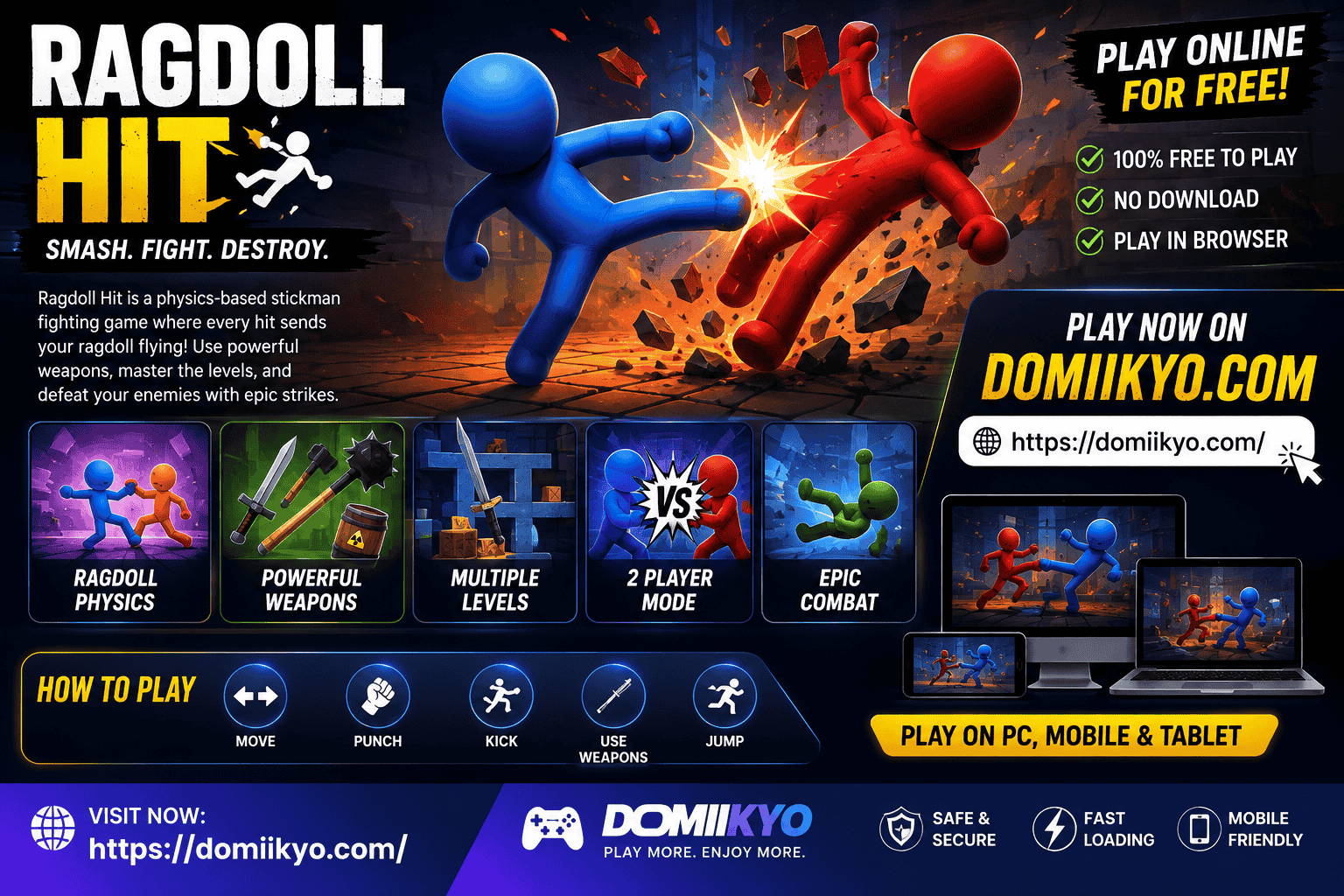
Ragdoll Hit: Play Online, Controls, Weapons & Tips
If you are looking for Ragdoll Hit, you are probably trying to find the game, learn how it works, check the controls, or find out whether you can play it online or on mobile.
Ragdoll Hit is a physics-based stickman fighting game built around unpredictable ragdoll movement, quick battles, kicks, jumps, grabs, weapons, and chaotic arena combat. The browser version is associated with indie developer Ericetto, while a separately published mobile game with the same name is available from Kids Games LLC.
That distinction matters because information about the browser game and mobile app is often mixed together online.
This guide explains what Ragdoll Hit is, how to play it, its controls, weapons, multiplayer options, platforms, tips, and the difference between its browser and mobile versions.
What Is Ragdoll Hit?
Ragdoll Hit is a physics-based fighting game in which you control a stickman character whose movements are affected by ragdoll-style physics.
Instead of perfectly predictable fighting animations, your character’s body reacts dynamically to movement, jumps, collisions, attacks, and the environment. That makes fights less predictable and creates the humorous, chaotic style that defines the game.
The browser version of Ragdoll Hit is credited to Ericetto, whose official developer site lists Ragdoll Hit alongside Ragdoll Drop and Ragdoll Archers.
On Poki, the game is described as a fighting game with one-player and two-player battles, weapons, levels, coins, and skins.
Ragdoll Hit at a Glance
| Feature | Details |
|---|---|
| Game | Ragdoll Hit |
| Genre | Fighting / Action |
| Core mechanic | Ragdoll physics |
| Character style | Stickman |
| Browser version developer | Ericetto |
| Browser play | Yes |
| Multiplayer | Two-player option on browser version |
| Mobile app | Available under Ragdoll Hit branding |
| Android | Available through Google Play |
| iPhone/iPad | Available through App Store |
| Main gameplay | Fighting, movement, kicking, jumping, grabbing and weapons |
Ragdoll Hit Browser Game vs Mobile App
One of the easiest ways to become confused about Ragdoll Hit is to assume every website is describing the same release.
There are important differences.
Browser Ragdoll Hit
The browser game is associated with Ericetto and is available through gaming platforms such as Poki. Poki lists desktop, phone and tablet support and describes one-player and two-player battles.
Its controls include:
- A/D or left/right arrows for movement and attacks
- W or Up Arrow to jump
- S or Down Arrow to kick
- Spacebar to pick up or hold items
Mobile Ragdoll Hit
The mobile version is a separate app associated with Kids Games LLC.
The Google Play listing describes weapons, levels, boss fights, skins and physics-based fighting. The current listing also identifies it as a single-player game and lists Android and Windows availability.
The App Store version is titled Ragdoll Hit: Wild Puppet Battle and is published by KIDS GAMES LLC for iPhone and iPad.
Why This Difference Matters
If you search for “Ragdoll Hit multiplayer,” you may encounter information about the browser version that does not necessarily apply to the mobile app.
Likewise, mobile-app features should not automatically be presented as features of the browser game.
For accurate information, always check which version you are using.
How to Play Ragdoll Hit Online
The browser version is the easiest way to start playing because you can access it directly through a supported gaming website.
Poki currently provides a playable Ragdoll Hit page and identifies the game as a free browser experience.
The basic process is simple:
- Open a supported browser-game page.
- Start Ragdoll Hit.
- Choose the available game mode.
- Learn the movement and attack controls.
- Fight your opponent.
- Pick up useful objects or weapons when available.
- Use the arena to your advantage.
- Defeat the opponent and progress through the game.
Because the game is based on physics, simply pressing attack repeatedly is not always the best strategy. Position, timing and momentum can be just as important as the attack itself.
Ragdoll Hit Controls
Learning the controls is one of the fastest ways to improve.
Desktop Keyboard Controls
| Action | Control |
|---|---|
| Move / hit | A, D or Left/Right Arrow |
| Jump | W or Up Arrow |
| Kick | S or Down Arrow |
| Pick up / hold | Spacebar |
These controls are listed by Poki for the browser version.
Why the Controls Feel Different
Ragdoll Hit is not designed like a traditional fighting game where every movement is perfectly rigid.
Your character’s body can swing, fall and rotate because of the physics system. As a result, movement and attacks can feel loose at first.
The goal is not simply to memorize buttons. You need to learn how your character reacts after each input.
How Ragdoll Physics Affect Gameplay
The physics system is the feature that gives Ragdoll Hit its personality.
A normal fighting game can make every punch look nearly identical. In Ragdoll Hit, the same type of attack can produce different-looking results depending on position, momentum and collision.
This creates several important gameplay ideas:
Momentum Matters
Running or moving into an attack can change its effectiveness.
Position Matters
Standing near an edge can be dangerous because a bad movement may leave you vulnerable.
Timing Matters
A jump or kick performed at the right moment can be more useful than repeatedly attacking.
The Environment Matters
Objects and surroundings can become part of your strategy, especially when weapons or interactive objects are available.
Ragdoll Hit Weapons
Weapons are an important part of the game’s appeal.
Poki describes Ragdoll Hit as featuring a selection of weapons that players can use during battles, while the mobile app listing also highlights a variety of weapons such as swords and hammers.
Rather than immediately focusing on the strongest-looking weapon, pay attention to:
- Range
- Timing
- Position
- Attack speed
- Your opponent’s movement
- How easily you can control the character while using it
A weapon can be powerful but difficult to use effectively.
Levels and Boss Battles
Progression is another important part of Ragdoll Hit.
The mobile listing highlights challenging levels and boss battles, while browser-game guides describe a progression system involving increasingly difficult encounters.
The best approach is to treat each new opponent as a different physics challenge rather than simply trying to attack faster.
Against stronger opponents:
- Watch their movement first.
- Avoid rushing directly toward them.
- Use your surroundings.
- Look for safe opportunities to attack.
- Pick up useful weapons when available.
- Keep your character away from dangerous positions.
Does Ragdoll Hit Have Multiplayer?
The answer depends on which version you mean.
The browser version is described by Poki as supporting one-player and two-player battles.
Some browser guides provide additional details about local two-player play and keyboard controls, but these details can vary by implementation and hosting site.
The current Google Play listing for the Kids Games LLC mobile app identifies the app as single player.
So:
Browser version: two-player functionality is available.
Mobile app: the current store listing identifies it as single-player.
This is why it is important not to combine the two versions into one feature list.
Ragdoll Hit on Mobile
Ragdoll Hit is available in the mobile ecosystem through apps associated with Kids Games LLC.
The Google Play listing currently describes the app as an action/fighting game with physics-based combat, weapons, levels, boss fights and skins.
The App Store lists Ragdoll Hit: Wild Puppet Battle for iPhone and iPad.
Mobile players should use official app stores rather than random APK websites whenever an official store version is available.
Ragdoll Hit on PC
There are two practical ways to approach Ragdoll Hit on a PC.
Browser
The browser game can be played on desktop through supported web browsers. Poki lists desktop support for Ragdoll Hit.
Windows App
The current Google Play listing for the mobile product also identifies Windows availability through its listing.
Because platform support can change, check the current store listing before downloading or installing a version.
Best Ragdoll Hit Tips
1. Learn the Physics Before Chasing Speed
Your first few matches should be about understanding movement.
Learn how far your character moves, how jumps affect positioning and how attacks behave during movement.
2. Do Not Attack Constantly
Repeated attacks can leave you in a bad position.
Wait for an opening and attack when your opponent is vulnerable.
3. Use the Grab Mechanic
The Spacebar is used to pick up or hold items in the browser version.
Once you understand grabbing, weapons and objects become much easier to use.
4. Control Your Position
Avoid getting trapped near dangerous edges.
Good positioning gives you more options when your opponent attacks.
5. Use Weapons Intelligently
Do not assume that simply holding a weapon guarantees victory.
A weapon is useful when you can control your movement and timing while using it.
6. Watch Your Opponent
Physics-based games reward observation.
Watch how your opponent moves before committing to an attack.
7. Practice Movement
Good movement can make a bigger difference than aggressive attacking.
Learn to move, jump and kick without losing control of your character.
Is Ragdoll Hit Free?
The browser version can be played for free on platforms such as Poki.
The mobile version is also listed as a free app, but the store listings indicate advertising and in-app purchases.
So “free” does not necessarily mean that every version has no optional purchases or advertising.
Is Ragdoll Hit Safe to Download?
For mobile devices, the safest approach is to use the official Google Play or Apple App Store listing rather than an unknown APK website.
This is especially important because many third-party sites use the Ragdoll Hit name while providing files or embedded versions that may not be the original product.
For the browser version, use established gaming platforms and avoid suspicious download prompts.
Ragdoll Hit vs Similar Physics Games
Ragdoll Hit is particularly suited to players who enjoy:
- Stickman fighting
- Physics-based combat
- Ragdoll games
- Short action matches
- Funny unpredictable movement
- Weapon-based battles
If you prefer experimentation rather than fighting, a physics sandbox such as Sandboxels may be more appropriate. Domiikyo already has a detailed guide to Sandboxels covering its physics systems and browser gameplay.
If you prefer multiplayer obstacle racing instead of fighting, Domiikyo’s Lolbeans guide covers another type of physics-based browser experience.
Common Ragdoll Hit Problems
The controls are not working
If keyboard controls do not respond, click inside the game area first. Some embedded games require the game frame to have keyboard focus.
The game feels difficult
That is normal at first. Ragdoll physics can make simple movements feel unpredictable until you learn the timing.
The mobile version looks different
The mobile app and browser game are not necessarily the same product. Check the developer and platform before comparing features.
A website says Ragdoll Hit has a feature that I cannot find
Third-party gaming sites sometimes mix information from different versions or similar games. Check the primary store or game platform before treating a claim as confirmed.
Final Verdict
Ragdoll Hit is a good choice if you enjoy chaotic stickman combat and physics-based gameplay.
Its main appeal is not complicated controls. It is the unpredictability created when simple fighting inputs interact with ragdoll physics.
For browser players, the game offers quick access, simple controls, weapons and two-player functionality. For mobile players, the separately published Ragdoll Hit app provides its own progression, weapons, levels, boss fights and customization features.
The most important thing to remember is that the browser game by Ericetto and the mobile app by Kids Games LLC should not be treated as the exact same release.
That distinction makes it easier to find the correct version, understand the available features and avoid misleading information.
Quick Answer
What is Ragdoll Hit?
Ragdoll Hit is a physics-based stickman fighting game focused on unpredictable ragdoll movement, combat, weapons and arena battles.
Who created the browser game?
The browser version is associated with indie developer Ericetto.
Can I play Ragdoll Hit online?
Yes. The browser version can be played online through supported gaming platforms such as Poki.
Does Ragdoll Hit have two-player gameplay?
The browser version supports two-player battles according to Poki.
Is the mobile app multiplayer?
The current Google Play listing identifies the Kids Games LLC version as single-player.
Can I play Ragdoll Hit on mobile?
Yes. Browser support includes phones and tablets, while a separate mobile app is available through app stores.
What are the basic browser controls?
A/D or arrow keys move and hit, W/Up jumps, S/Down kicks, and Spacebar picks up or holds items.
Is Ragdoll Hit free?
The browser version is free to play, while the mobile app is free to download but includes advertising and in-app purchases.
Is Ragdoll Hit available on Android?
Yes. The mobile version is listed on Google Play.
Is Ragdoll Hit available on iPhone?
Yes. The App Store lists Ragdoll Hit: Wild Puppet Battle for iPhone and iPad.





2 Comments